
![What is Hospital Management Software? Complete Beginner's Guide [2026]](/_next/image?url=%2Finfographics%2Fwhat-is-hospital-management-software.png&w=2048&q=75)
Hospital Management Software (HMS) is the digital backbone of modern healthcare facilities. This guide explains everything you need to know—from basic concepts to advanced features.
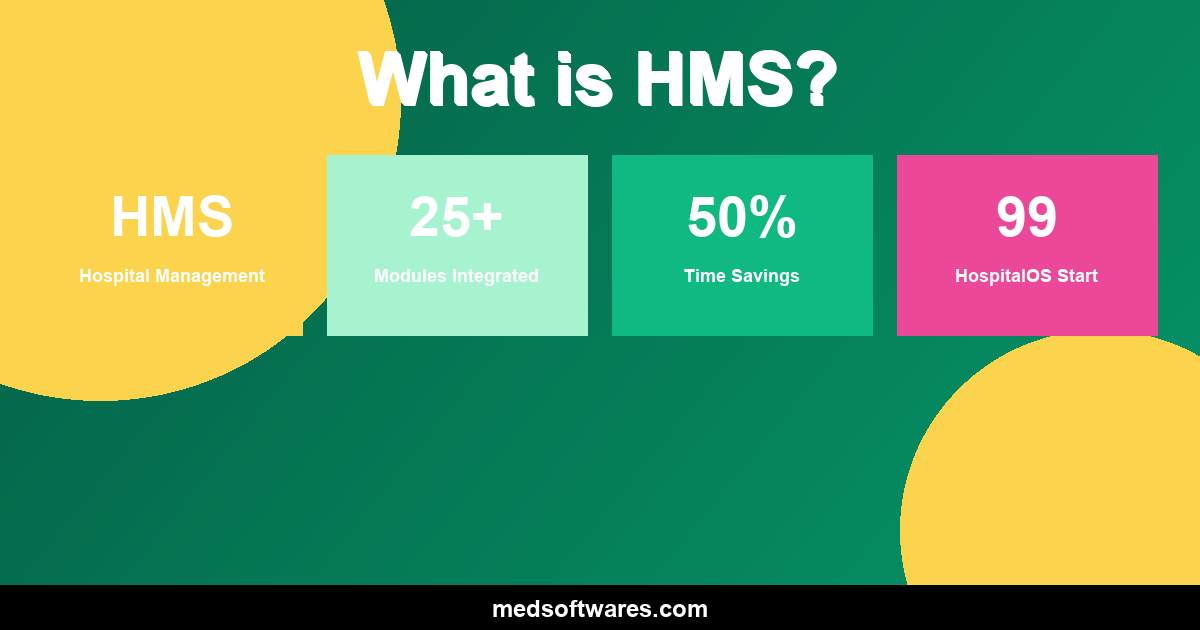
What is Hospital Management Software?
Hospital Management Software (HMS) is an integrated information system designed to manage all aspects of a hospital's operations, including:
- Patient care and medical records
- Administrative functions
- Financial operations
- Inventory and supplies
- Staff management
- Reporting and analytics
Think of HMS as the central nervous system of a hospital—connecting all departments and functions into one cohesive workflow.
How Does HMS Work?
The Core Concept
HMS connects different hospital departments through a shared database:
Patient Registration → OPD/IPD → Lab/Radiology → Pharmacy → Billing
         ↓               ↓           ↓              ↓          ↓
    [Central Database - All Information Connected]
Example Patient Journey
Without HMS (Manual):
- Patient fills paper form at reception
- Paper file created, carried to doctor
- Doctor writes on paper, sends patient to lab
- Lab results written, patient returns
- Prescription written on paper
- Patient goes to pharmacy
- Separate billing calculation
- Patient pays, paper receipt
With HMS (Digital):
- Receptionist enters patient info once
- Doctor sees patient history instantly
- Lab order placed digitally
- Results appear automatically
- e-Prescription sent to pharmacy
- Bill calculated automatically
- Patient pays, electronic receipt
- Complete record saved
Time saved: 50-70%
Key Modules of HMS
1. Patient Registration
What It Does:
- Capture patient demographics
- Assign unique patient IDs
- Store contact information
- Track visit history
Benefits:
- No duplicate records
- Fast repeat visits
- Complete patient history
2. Outpatient Department (OPD)
What It Does:
- Manage appointments
- Queue management
- Doctor consultations
- Prescription writing
Benefits:
- Reduced wait times
- Organized patient flow
- Complete visit documentation
3. Inpatient Department (IPD)
What It Does:
- Bed management
- Admissions and discharges
- Daily patient tracking
- Nursing documentation
Benefits:
- Optimal bed utilization
- Clear patient status
- Coordinated care
4. Laboratory
What It Does:
- Test ordering
- Sample tracking
- Result entry
- Report generation
Benefits:
- Faster turnaround
- Fewer errors
- Direct result delivery
5. Pharmacy
What It Does:
- Medication dispensing
- Inventory tracking
- Drug interaction checking
- Prescription fulfillment
Benefits:
- Patient safety
- Stock optimization
- Revenue tracking
6. Billing & Finance
What It Does:
- Charge capture
- Invoice generation
- Payment processing
- Insurance claims
Benefits:
- Accurate billing
- Faster collections
- Revenue optimization
7. Inventory Management
What It Does:
- Track supplies and medications
- Reorder management
- Expiration tracking
- Usage analytics
Benefits:
- Reduced waste
- No stockouts
- Cost control
8. Reporting & Analytics
What It Does:
- Generate operational reports
- Financial analysis
- Clinical statistics
- Custom dashboards
Benefits:
- Data-driven decisions
- Performance tracking
- Compliance reporting
Benefits of Hospital Management Software
For Patients
| Benefit | Impact | |---------|--------| | Shorter wait times | 30-50% reduction | | Fewer errors | Safer care | | Better communication | Clear information | | Easy access to records | Patient empowerment |
For Staff
| Benefit | Impact | |---------|--------| | Less paperwork | 50-70% reduction | | Faster access to information | Seconds vs. minutes | | Better coordination | Fewer miscommunications | | Reduced repetitive tasks | Focus on patient care |
For Management
| Benefit | Impact | |---------|--------| | Real-time visibility | Instant status updates | | Better decisions | Data-driven insights | | Cost control | Reduced waste and errors | | Compliance | Easier regulatory adherence |
Financial Benefits
| Area | Typical Improvement | |------|---------------------| | Revenue capture | +5-15% | | Staff efficiency | +25-40% | | Inventory costs | -15-25% | | Billing errors | -50-80% | | Collections speed | +30-50% |
Types of Hospital Software
By Deployment
| Type | Description | Best For | |------|-------------|----------| | On-Premise | Installed on your computers | Full control, offline needs | | Cloud-Based | Hosted by vendor online | Easy setup, remote access | | Hybrid | Mix of both | Flexibility |
By Scope
| Type | Description | Best For | |------|-------------|----------| | Full HMS | Complete hospital management | Medium-large hospitals | | Clinic Software | Focused on outpatient | Small clinics | | Specialty Software | Specific to specialty | Specialized facilities |
By Pricing
| Type | Description | Example | |------|-------------|---------| | One-Time Purchase | Pay once, own forever | HospitalOS | | Subscription | Monthly/annual fees | Most cloud solutions | | Per-User | Pay per user | Enterprise solutions |
How to Choose HMS
Step 1: Assess Your Needs
Questions to Answer:
- How many beds do you have?
- What departments need coverage?
- What's your budget?
- Do you need offline capability?
- What integrations are needed?
Step 2: Define Requirements
Must Have vs. Nice to Have:
| Must Have | Nice to Have | |-----------|--------------| | Patient registration | Patient portal | | OPD/IPD management | Mobile app | | Billing | Advanced analytics | | Basic reporting | AI features |
Step 3: Evaluate Options
Comparison Criteria:
- Features match
- Total cost (5-year)
- Ease of use
- Implementation time
- Support quality
Step 4: See Demonstrations
During Demos, Check:
- Workflow fit
- User interface
- Speed and performance
- Feature depth
Step 5: Check References
Ask Other Users:
- Implementation experience
- Support quality
- Issues encountered
- Overall satisfaction
HospitalOS: Recommended Solution
HospitalOS is designed for hospitals that need comprehensive functionality without enterprise complexity.
Why HospitalOS:
| Feature | HospitalOS | |---------|------------| | Modules | 25+ integrated | | Pricing | $799-$4,999 one-time | | Implementation | 2-4 weeks | | Offline | Yes, fully capable | | Support | Included free | | Updates | Free forever |
Best For:
- Community hospitals
- Clinics and outpatient centers
- Hospitals in developing markets
- Budget-conscious facilities
Getting Started
If You're New to HMS
- Start simple — Focus on core modules first
- Train thoroughly — Invest time in staff training
- Be patient — Allow adjustment period
- Get support — Use vendor resources
Implementation Tips
- Begin with one department
- Expand gradually
- Collect feedback
- Adjust as needed
Frequently Asked Questions
Is HMS difficult to learn?
Modern HMS like HospitalOS is designed to be intuitive. Most staff become comfortable within 1-2 weeks of regular use.
Do we need a large IT team?
No. HospitalOS is designed for facilities without dedicated IT departments. Basic computer skills are sufficient.
What about our existing data?
Patient records and other data can be migrated. HospitalOS includes import tools for data migration.
How long does implementation take?
With HospitalOS, typical implementation is 2-4 weeks. Larger or more complex facilities may take longer.
What if we only need some modules?
HospitalOS includes all modules in every edition. Use what you need now; other modules are available when you're ready.
Conclusion
Hospital Management Software transforms healthcare operations by:
- Connecting all departments
- Eliminating paper inefficiency
- Improving patient care
- Enabling data-driven decisions
Ready to modernize your hospital?


![Healthcare Cybersecurity for Hospitals: Complete Protection Guide [2026]](/_next/image?url=%2Finfographics%2Fhealthcare-cybersecurity-stats-2026.png&w=2048&q=75)