

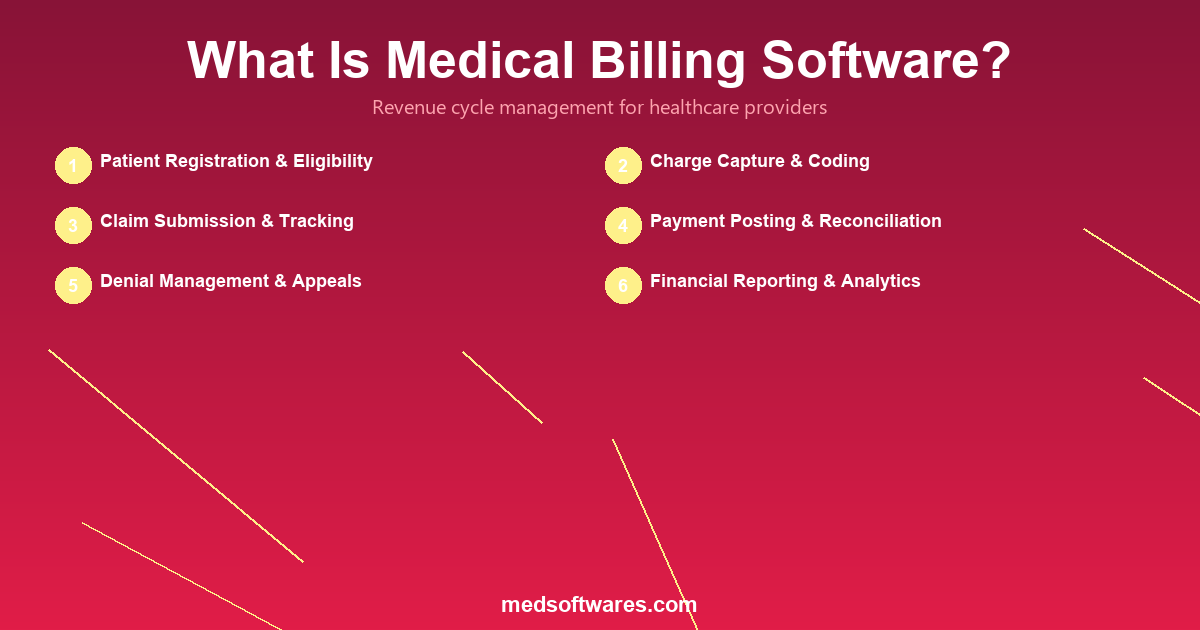
Medical billing software is a system that automates the process of submitting and managing healthcare claims to insurance companies, tracking payments, and managing the revenue cycle for healthcare providers. It handles everything from patient registration and charge capture to claim submission, payment posting, denial management, and financial reporting.
The Revenue Cycle: How Medical Billing Works
Medical billing is part of a larger process called the revenue cycle -- the complete financial journey from the moment a patient schedules an appointment to the final payment collection. Understanding this cycle is essential for choosing the right billing software.
Revenue Cycle Steps
- Patient registration -- Collect demographics, insurance details, and verify eligibility
- Appointment scheduling -- Book the visit and confirm insurance authorization if required
- Patient check-in -- Verify identity, collect co-pays, and update insurance information
- Charge capture -- Document all services provided using medical codes (ICD-10, CPT, HCPCS)
- Claim creation -- Compile charges into a formatted claim (CMS-1500, UB-04)
- Claim scrubbing -- Automatically check for errors, missing information, and coding inconsistencies
- Claim submission -- Transmit claims electronically to insurance payers
- Payment posting -- Record payments received from insurance and patients
- Denial management -- Identify, appeal, and resolve rejected or denied claims
- Patient billing -- Generate statements for remaining patient responsibility
- Collections -- Follow up on unpaid balances with aging management
- Reporting -- Analyze revenue performance, payer mix, and collection rates
Key Features of Medical Billing Software
Insurance Eligibility Verification
- Real-time insurance eligibility checks before appointments
- Coverage details including co-pay, deductible, and coinsurance amounts
- Prior authorization requirements and status tracking
- Multi-payer verification from a single interface
Medical Coding Support
- ICD-10 diagnosis code lookup with search and suggestions
- CPT/HCPCS procedure code libraries
- Code validation to ensure proper code combinations
- Modifier management for accurate claim coding
- Automatic code updates when standards change
Claim Management
- Electronic claim creation in standard formats (837P, 837I)
- Automated claim scrubbing to catch errors before submission
- Batch claim submission to multiple payers
- Real-time claim status tracking
- Claim history and audit trail for every submission
Payment Processing
- Electronic Remittance Advice (ERA/835) auto-posting
- Patient payment collection (cash, card, mobile money)
- Co-pay and deductible tracking per visit
- Credit balance management and refund processing
- Payment plan setup and installment tracking
Denial Management
- Automated denial identification and categorization
- Root cause analysis for recurring denial patterns
- Appeal letter templates and submission tracking
- Denial rate tracking by payer, code, and provider
- Workflow queues for denial resolution prioritization
Reporting and Analytics
- Revenue cycle dashboard with key performance indicators
- Days in accounts receivable (A/R) tracking
- Collection rate analysis by payer and service type
- Denial rate and resolution metrics
- Aging reports for outstanding claims and patient balances
Types of Medical Billing Software
| Type | Description | Pros | Cons | Best For | |------|-------------|------|------|----------| | Standalone | Dedicated billing-only software | Specialized features, deep billing focus | No clinical integration, requires manual data entry | Billing companies and outsourced billing | | Integrated (within HMS/EHR) | Billing module within a larger system | Seamless clinical-to-billing workflow, single platform | May have fewer advanced billing features | Hospitals and clinics wanting an all-in-one solution | | Cloud-based | Browser-accessed billing platform | Low upfront cost, auto-updates, remote access | Requires internet, ongoing subscription | Practices wanting flexibility and scalability | | On-premise | Installed locally on computers/servers | Full data control, offline access, no recurring fees | Requires IT infrastructure | Facilities with data control requirements | | Clearinghouse-integrated | Built-in electronic claim submission | Direct payer connections, faster reimbursement | May have clearinghouse fees per claim | High-volume billing operations |
Medical Coding Systems Explained
Medical billing software relies on standardized coding systems to translate clinical services into billable items. Understanding these systems is essential for accurate billing.
| Coding System | Purpose | Examples | Used For | |--------------|---------|----------|----------| | ICD-10-CM | Diagnosis codes | E11.9 (Type 2 diabetes), J06.9 (Upper respiratory infection) | Identifying why the patient was seen | | CPT | Procedure codes | 99213 (Office visit, established patient), 93000 (ECG) | Identifying what services were provided | | HCPCS Level II | Supplies and non-physician services | A4253 (Blood glucose strips), E0601 (CPAP device) | Billing for equipment and supplies | | DRG | Diagnosis-related groups | MS-DRG 470 (Major joint replacement) | Inpatient hospital payment classification | | Revenue codes | Facility billing categories | 0250 (Pharmacy), 0300 (Laboratory) | Hospital outpatient and inpatient billing |
Benefits of Medical Billing Software
Financial Performance
- Faster reimbursement -- Electronic claims are processed in 7-14 days vs. 30-45 days for paper
- Higher collection rates -- Automated scrubbing reduces claim denials by 30-50%
- Reduced billing costs -- Automation cuts billing labor costs by 40-60%
- Better cash flow -- Real-time eligibility checks prevent unpayable claims before service
Operational Efficiency
- Automated workflows -- Reduce manual data entry and repetitive tasks
- Batch processing -- Submit hundreds of claims simultaneously
- Centralized management -- Track all payers, claims, and payments from one dashboard
- Staff productivity -- Billers handle 2-3x more claims with software automation
Accuracy and Compliance
- Code validation -- Catch coding errors before claims are submitted
- Audit trails -- Maintain complete documentation for every financial transaction
- Regulatory updates -- Automatic updates when coding standards or payer rules change
- Denial tracking -- Identify patterns to prevent recurring errors
Patient Experience
- Transparent billing -- Patients understand their financial responsibility upfront
- Multiple payment options -- Accept card, mobile money, and payment plans
- Automated statements -- Patients receive clear, timely bills
- Online payment -- Convenient self-service payment through patient portals
Claim Submission Workflow
Understanding how claims flow through the billing system helps illustrate what medical billing software automates:
Step 1: Charge Capture
The provider documents services rendered. Billing software translates clinical documentation into appropriate medical codes (ICD-10, CPT).
Step 2: Claim Scrubbing
Before submission, the software checks each claim for:
- Missing or invalid patient information
- Incorrect code combinations
- Duplicate charges
- Authorization requirements
- Payer-specific billing rules
Step 3: Electronic Submission
Clean claims are transmitted electronically to insurance payers through clearinghouses or direct connections. The software tracks submission status in real time.
Step 4: Adjudication
The insurance payer processes the claim and returns:
- Approved -- Payment issued according to contract terms
- Denied -- Claim rejected with reason codes
- Pending -- Additional information requested
Step 5: Payment Posting
Payments are matched to claims and posted automatically. The software calculates remaining patient responsibility based on co-pay, deductible, and coinsurance.
Step 6: Follow-Up
For denied or underpaid claims, the software generates work queues with appeal deadlines, denial reasons, and recommended actions.
How to Choose Medical Billing Software
Essential Evaluation Criteria
- Payer connectivity -- Does it connect with your major insurance payers (NHIS, NHIF, private insurers)?
- Coding support -- Does it include up-to-date ICD-10 and CPT code libraries with validation?
- Integration -- Does it integrate with your HMS/EHR for seamless clinical-to-billing workflows?
- Denial management -- Does it provide tools for tracking, appealing, and preventing claim denials?
- Reporting depth -- Does it offer the analytics you need to monitor revenue cycle performance?
- Payment methods -- Does it support local payment options including mobile money?
- Scalability -- Can it handle your claim volume and grow with your organization?
Medical Billing Software Cost Comparison
| Pricing Model | Typical Cost | Includes | Best For | |--------------|-------------|----------|----------| | Percentage of collections | 4-8% of collected revenue | Full billing service + software | Outsourced billing | | Per-claim fee | $0.25-$1.00/claim | Software + clearinghouse | High-volume, low-margin practices | | Monthly subscription | $100-$500/provider/mo | Software access, updates, support | Mid-size practices | | One-time license | $999-$4,999 | Perpetual software license | Facilities avoiding recurring costs | | Integrated HMS module | Included with HMS | Billing as part of complete system | Hospitals using all-in-one solutions |
Why HospitalOS Is the Complete Billing Solution
HospitalOS by MedSoftwares includes a powerful billing and revenue cycle module integrated directly into the hospital management system:
- End-to-end revenue cycle from registration to payment posting in one platform
- NHIS/NHIF integration for seamless government insurance claims
- Private insurance support with multi-payer claim management
- Automated charge capture from clinical encounters across all departments
- Comprehensive reporting with revenue dashboards, aging reports, and collection analytics
- Mobile money payments including MTN, Vodafone Cash, M-Pesa, and more
- One-time payment starting at $999 with no per-claim or monthly subscription fees
For pharmacies, PharmaPOS includes integrated billing with insurance claims and multi-payment support starting at $299.
Request a free demo to see how HospitalOS billing can optimize your revenue cycle.
Frequently Asked Questions
What is the difference between medical billing software and practice management software?
Medical billing software focuses specifically on claims, payments, and revenue cycle management. Practice management software is broader, including scheduling, patient registration, and administrative workflows in addition to billing. Many modern platforms combine both into a single system.
Can medical billing software reduce claim denials?
Yes. Automated claim scrubbing catches errors before submission, and denial management tools help identify and fix recurring issues. Facilities using billing software typically see a 30-50% reduction in claim denial rates compared to manual processes.
How long does it take to implement medical billing software?
For standalone billing software, implementation typically takes 2-4 weeks including data migration, payer setup, and staff training. Integrated HMS implementations with billing modules may take 4-12 weeks depending on the facility size and complexity.
Is medical billing software worth it for small clinics?
Yes. Even small clinics with <500 claims per month benefit from automated eligibility verification, claim scrubbing, and payment tracking. The reduction in denied claims and faster reimbursement typically pays for the software within 3-6 months.
What is a clearinghouse in medical billing?
A clearinghouse is an intermediary that receives electronic claims from billing software, validates them, and routes them to the correct insurance payers. It simplifies the submission process by providing a single connection point to multiple payers rather than requiring direct connections to each one.

![Hospital Billing Software: Complete Guide to Revenue Cycle Management [2026]](/_next/image?url=%2Finfographics%2Fhospital-billing-features.png&w=2048&q=75)
